Accueil
» Wiki
»
7 Best Websites to Find Guitar Chords for Songs
7 Best Websites to Find Guitar Chords for Songs
Playing the guitar is a great way to relax and relieve stress. One of the great things about the guitar is the huge number of songs you can play with just a few chords. Now all you need is a good website or app that has all the guitar chords and lyrics to your favorite songs.
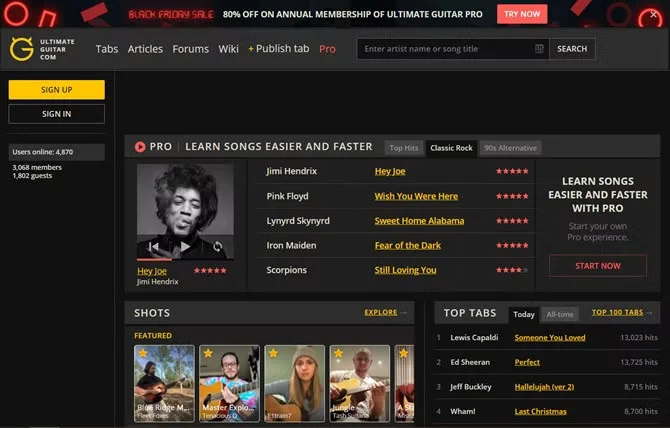
Ultimate Guitar benefits from a large community of guitarists who contribute chords and tabs to the site, with over a million songs. You'll also find several different versions of songs to practice on.
Search for songs by track name or artist, or click the chord button in the search bar to search for specific chords. That way, if you're new to guitar, you can easily find songs you can play by searching for chords you already know.
Users can rate guitar chords and tabs on a 5-point scale, giving you a clear idea of which version is best. Ultimate Guitar also offers a $39.99/year subscription that includes access to guitar and music theory lessons, the ability to transpose songs to a different key, and the option to simplify more complex chords.
Ultimate Guitar also allows users to post short videos, called Shots, on the app. You can check out the most popular guitar chords and tabs recently, or browse the top 100 tabs of all time to start learning some classic music.
Opening a tab will show you the chords and their diagrams, as well as the lyrics and where to play the chords in the song. When you're ready to play, click the Auto-scroll button at the bottom of the screen to start your jam session.
Download Ultimate Guitar: Chords and Tabs for iOS | Android (Free, subscription available)
AZChords is a great, free website that offers thousands of popular songs with guitar chords. You can sort artists alphabetically, view trending artists on the home page, and see the latest updates to song tabs for many recent songs like I Love You, I'm Sorry by Gracie Abrams.
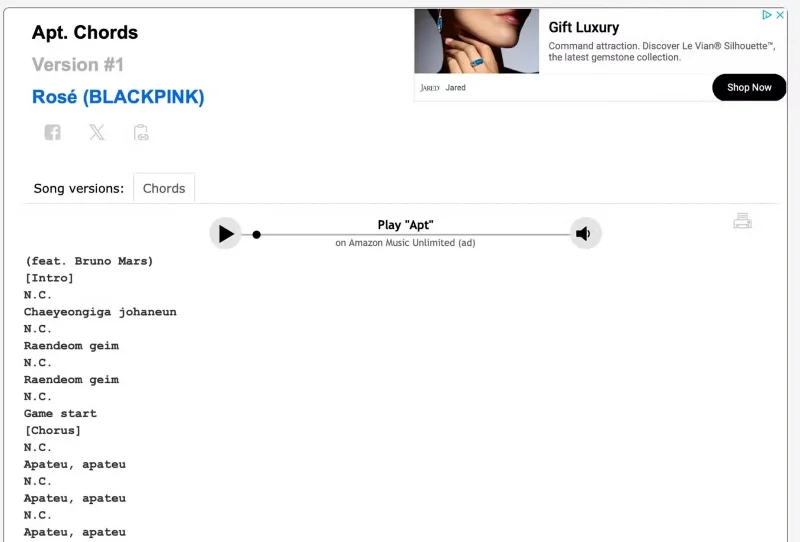
When you click on a song, AZChords will display the lyrics and chords that correspond to a particular lyric or section of the song. You can also click on the chord name highlighted in blue to see where to place your fingers on the guitar.
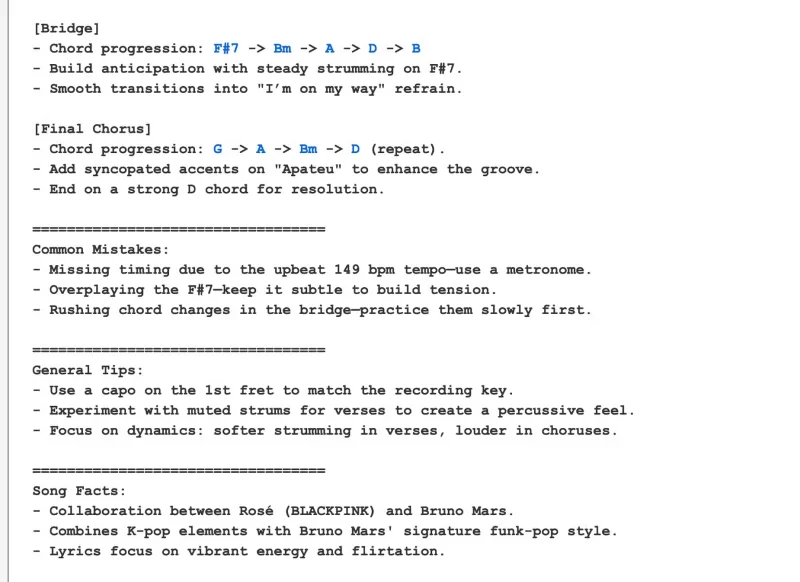
AZChords Notes for APT. by Rose and Bruno Mars Explains Common Mistakes
For example, the entry for APT. by Rosé and Bruno Mars includes a list of the chords used alongside the lyrics. At the end, the entry also includes notes on strumming patterns, general chord progressions, and common mistakes people might make when playing the song!
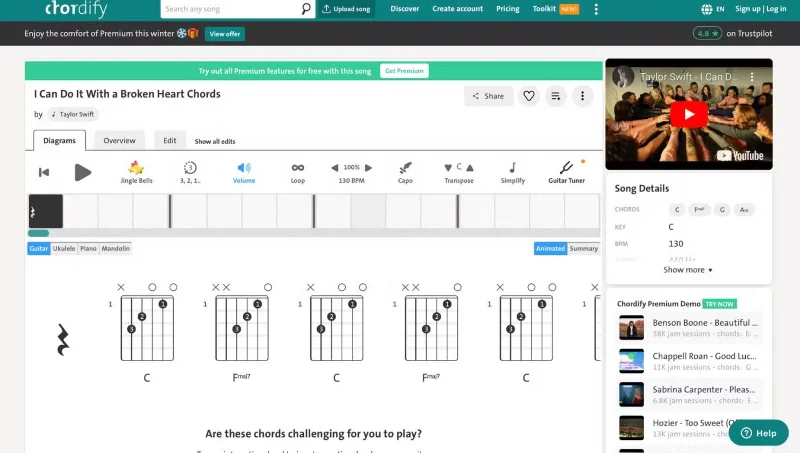
Chordify for I Can Do It With A Broken Heart by Taylor Swift
Sometimes, you want to learn a particular song even if you don’t know how to play it or how to play it. Chordify is perfect for those situations. The site has a super clean interface with a large chord chart that updates in real time as the song plays.
Hit the Play button and grab your guitar. Chordify loads the YouTube video in the corner and starts playing the actual recording. The display in the middle of the screen shows a square box for each bar and tells you when to move to the next chord.
If there's a downside, it's that it's all a bit basic. There's no information on strumming patterns, and Chordify doesn't provide alternative chord fingerings, even when the song calls for them. There are no lyrics either, but it's a great place to start.
Additionally, if you sign up for the $27 annual subscription, you can unlock tools to change the tempo, volume, and pitch of the song as you play along.
Download Chordify for iOS | Android (Free, subscription required)
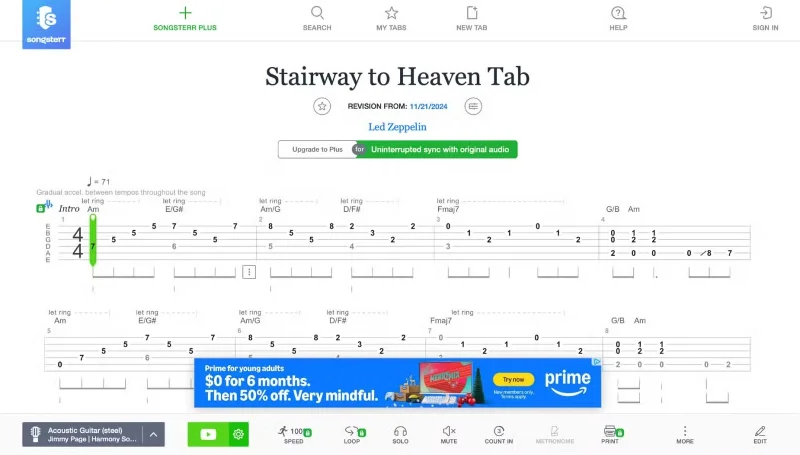
Songsterr offers in-depth sheet music and chords for those who are proficient at reading music. With a premium Songsterr subscription of $9.99/month, you can unlock original sounds that play along with the music, change the tempo, and even play individual sections on a loop for continued practice.
This site syncs with the YouTube version of the song, so you can listen while you play. You can even transpose the song to different keys for free. Clicking on a specific part of the song will also sync with the YouTube video. This is useful if you get stuck on a certain part of the song and want to practice.
Songsterr is much more advanced than the lyrics and chords options above, so it may take some getting used to if you’re new to music. If you want, find the best audio interface for you to record yourself and review your performance later.
Download Songsterr for iOS | Android (Free, subscription required)
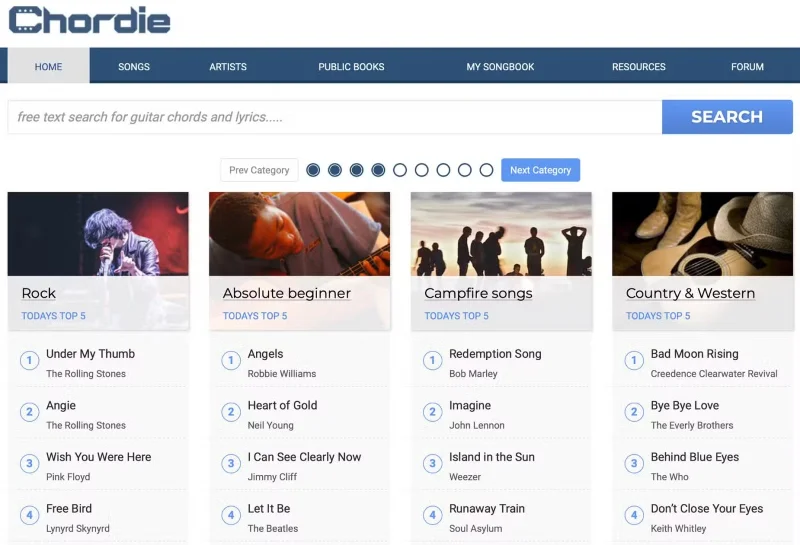
At Chordie, you can search for the song title, artist, lyrics, or chords you want to play. It doesn't have as large a catalog of free guitar chords as Ultimate Guitar, but Chordie presents the chords and lyrics in a super clean interface.
Chordie is built from a community of guitarists who spend their time uploading guitar chords and lyrics for different songs. The great thing about Chordie is that there is only one version of each song, so you don't have to play through 5 bad versions first.
When you open a song in Chordie, the chords you need will be displayed in the upper right corner. You don't need to flip back and forth through a guitar instruction book every time you forget how to play an F chord when you can just scroll back to the top of the page.
Chordie also gives you simple tools to change the font size, transpose to a different key, adjust chords based on your capo position, and auto-scroll as you play. The clean interface also includes a tab section for important riffs.
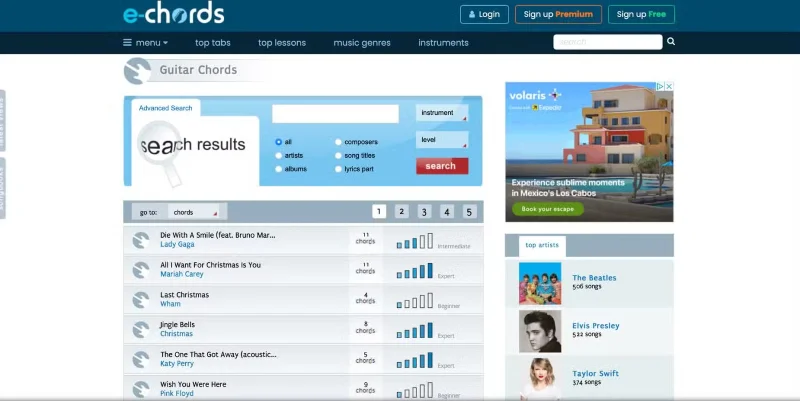
The E-Chords tab page features songs like Last Christmas and Die With A Smile
The E-Chords homepage features video lessons, a new tab, tutorials, and a featured blog. Search for a song, artist, or lyrics to find the free guitar chords you’re looking for. You can then open them up on a page with lots of helpful tools running down the left side. There are also free video lessons.
You can customize the look of the song by selecting simplified chords, changing the color of the links, and even clicking and dragging chords to where you want them next to the lyrics. Hover over the chord name above the lyrics to see how to play that chord.
The verses and chorus are separated, making it easy to learn the song's structure at a glance. All the chords you need are also listed at the bottom of the page, so spend some time there learning the song before you start.
There are also great customization options. You can use the tools on the left side of the screen to set the scroll speed, change the font size, change the colors, or simplify the chords to your liking.
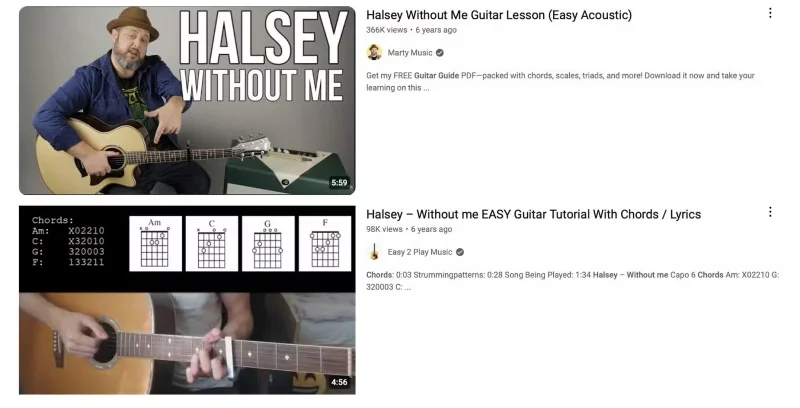
Guitar chord results on YouTube for Without Me by Halsey
YouTube is the go-to site for all sorts of great video-based learning activities, tutorials, and other learning activities. There are tons of tutorial videos for popular songs. A quick search for a song on YouTube will bring up a variety of tutorial videos. Some videos have chord charts, while others just feature a guitar player showing you how to finger the guitar.
YouTube is a great alternative to written tutorials because creators can demonstrate the right strumming patterns, tempos, and other variations to make any song sound more like the original.
There are also some great websites if you want to learn the basics of playing guitar through lessons.
Get YouTube for iOS | Android (Free, with subscription)
There’s a world of popular songs to learn guitar chords and lyrics from. All of them are free. Whether you learn best by reading or watching, all of these websites and apps are great tools to have in your musical toolbox.